

keepAlive, the box stays on between sessions for always-available workloads.
Looking for inspiration? Check out the Use Cases page.
Architecture
Every box is a self-contained environment with five capabilities:
The agent has full access to the shell, filesystem, and git inside its box. It can install packages, write files, run tests, and interact with the network.
Runtimes
Each box runs in an isolated container with a pre-installed language runtime. By default, all runtimes use Debian (glibc), which offers the widest binary compatibility. Append-alpine for smaller images based on musl.
Agent
Every Upstash Box comes with built-in coding agent harnesses. You don’t need to bring your own agent framework or wire up tool calls. The box already knows how to give an agent access to its shell, filesystem, and git, and how to stream output back to you. We currently support Claude Code and Codex as native agents inside of a box. You choose a model when creating a box. For more details, see the Agent page.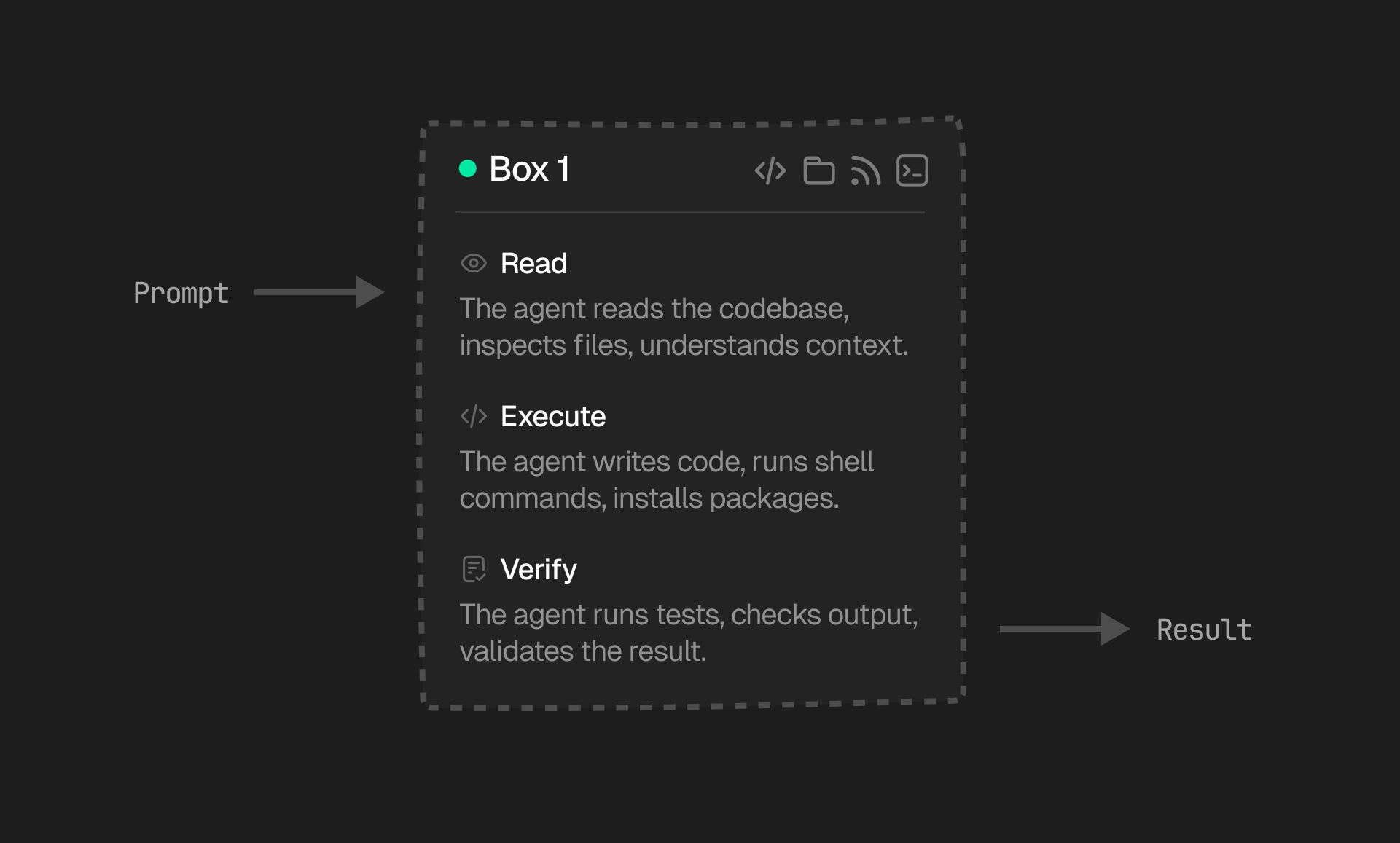
Lifecycle
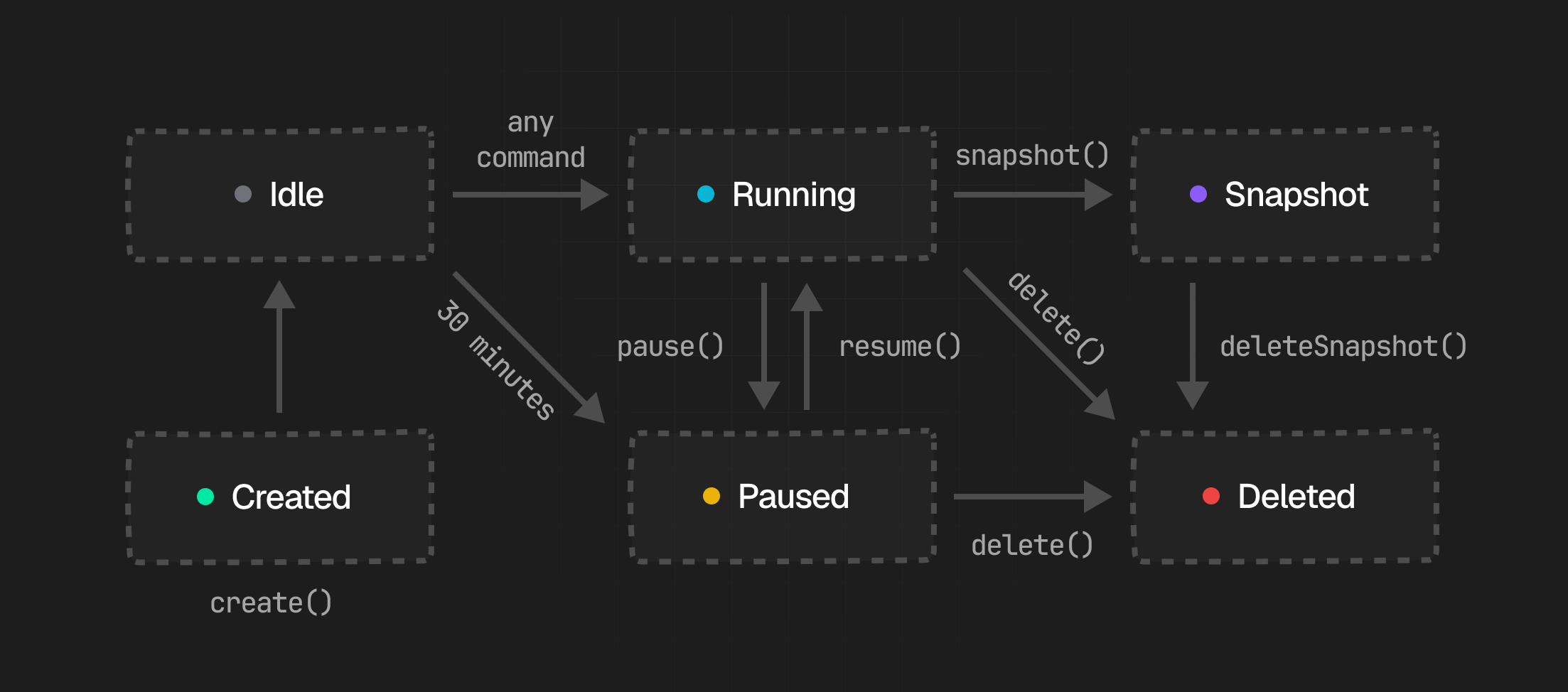
1. Created
When you create a box, Upstash provisions a new isolated container with its own filesystem, shell, and network stack. You can start from a fresh box or restore from a snapshot. Once provisioning finishes, the box is ready to receive commands.2. Running
The box automatically enters Running state after creation. Your agent can run bash commands, read and write files, interact with git, and make outbound network requests.stdout and stderr stream back in real-time.
If a box sits idle with no active commands, it automatically transitions to Paused after an idle timeout. Free plans auto-pause sooner than paid plans. If keepAlive is enabled, it stays on instead.
3. Paused
While a box is paused, it releases its compute resources but preserves the filesystem and environment. You can resume it explicitly or simply send new work to wake it back up. By default, boxes are billed only on active usage, so a paused box does not incur active compute costs. Boxes withkeepAlive enabled do not use pause/resume.
4. Snapshot
Snapshots capture the full workspace state of a box at a point in time. They let you checkpoint a working environment and later create a new box from that exact state. Learn more in Snapshots.5. Deleted
Deleting a box permanently destroys the live box and its current state. This is irreversible, so take a snapshot first if you may need to restore the environment later. Any existing snapshots taken from the box are not affected by deletion.API
Use the main Box APIs to create, reconnect, inspect, pause, snapshot, and delete boxes. For work inside a box, use the dedicated Shell, Filesystem, Git, and Agent APIs.Create or reconnect a box
Most apps need three entry points: start a new box, show the boxes that already exist, or reopen one from a saved ID.Box size
Boxes have configurable resource sizes, set at creation time via thesize option. Defaults to "small".
Box.fromSnapshot():
Check status and inspect activity
Pause or resume
Pausing is useful when work arrives in bursts and you want to keep the environment intact without paying for active compute the whole time.keepAlive is enabled.
Snapshot and restore
Snapshots are the best way to turn a prepared environment into a reusable starting point, especially installing dependencies.Delete
Once a run is finished, delete the live box if you don’t need it anymore:Networking
Every box has full outbound network access by default. HTTP, HTTPS, DNS, WebSockets, and raw TCP are all available. Agents can call external APIs, download packages, pull container images, and interact with any public endpoint. Boxes run on AWS infrastructure with 22.5 Gbps network bandwidth per host. This means large file transfers, dataset downloads, and parallel API calls are fast by default. Because boxes run on fast AWS infrastructure, they have single-digit ms to major cloud services (S3, GitHub, etc.).Network Policy
You can control outbound network access for a box with a network policy. For modes, examples, and SDK usage, see Network Policy.Security & Isolation
Every box runs as its own Docker container with an independent filesystem, process tree, and network stack. Boxes cannot communicate with or observe each other. There is no shared state between them.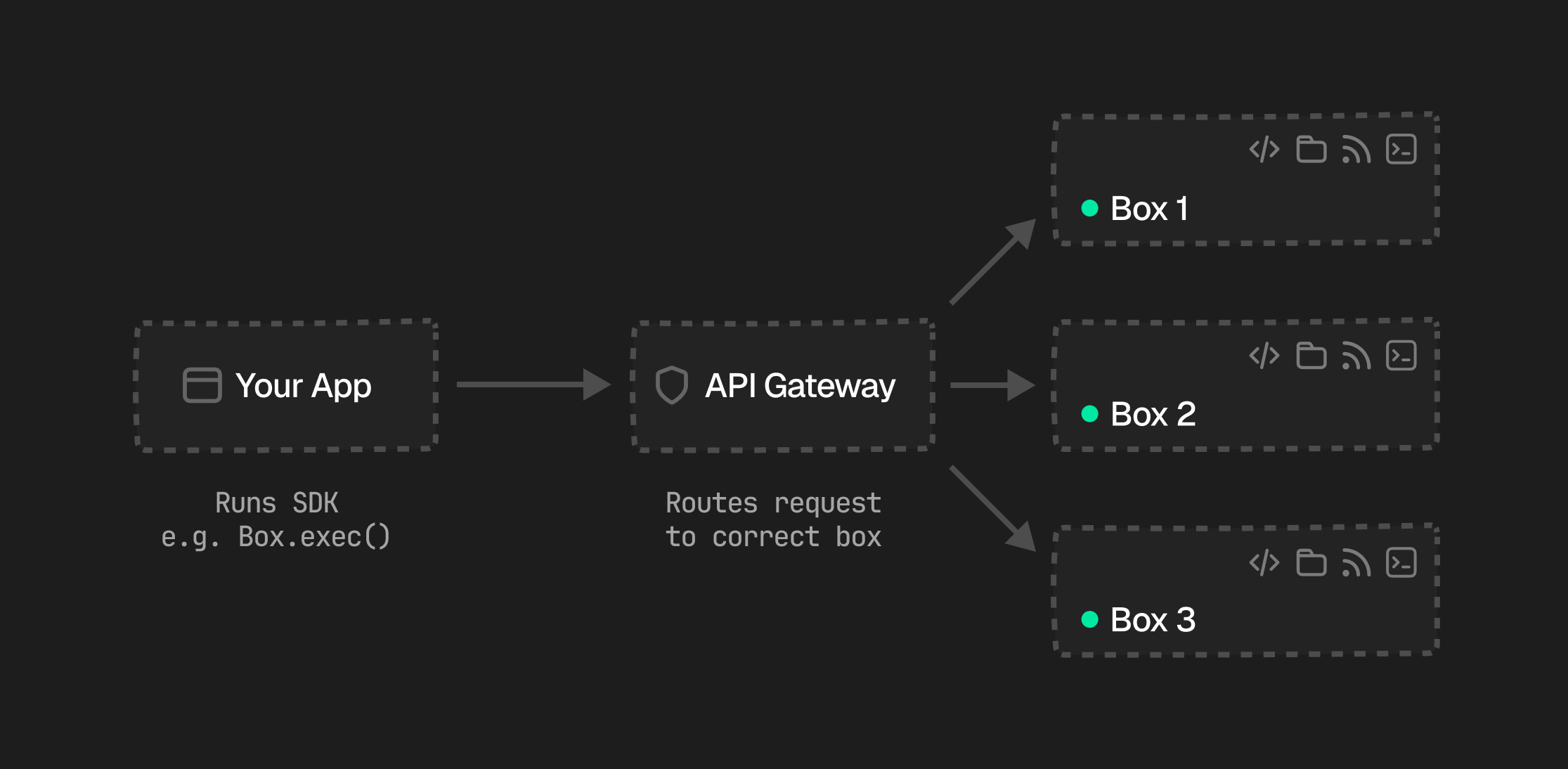
Compute & Billing
Boxes are billed on active usage by default. IfkeepAlive is enabled, billing switches to an always-on model because the box stays running between sessions.
Boxes are available in three sizes:
For exact pricing details, see the pricing page. For keep-alive behavior, see Keep Alive.